

If Google Analytics tells you what visitors do after they land on your website, Google Search Console tells you how they found you in the first place and whether Google can even see your site at all. It’s a free, essential tool for anyone who wants to show up in search results, yet most business owners have never opened it. Here’s a plain-English guide to what Google Search Console is, what it does, and why it’s the backbone of good SEO.
What is Google Search Console?
Google Search Console (often shortened to GSC) is a free service from Google that helps you monitor, maintain, and troubleshoot how your website appears in Google Search. It’s a direct line of communication between you and Google: it shows you which searches bring up your site, how often you appear, where you rank, and whether Google is having any trouble reading or indexing your pages.
In short, Analytics measures the traffic on your site; Search Console measures your presence in Google Search. Both are free, both come from Google, and serious SEO uses them together.
Google Search Console vs. Google Analytics: what’s the difference?
This trips up a lot of people, so it’s worth being clear. The simplest way to think about it is “before the click” versus “after the click.”
Google Search Console = before the click. It shows what happens in the search results: which keywords you appear for, how many people see your listing (impressions), how many click it, and what position you rank in. It’s about visibility and getting found.
Google Analytics = after the click. Once someone lands on your site, Analytics tracks what they do which pages they visit, how long they stay, and whether they convert into a lead.
You need both. Search Console helps you get found; Analytics helps you understand what visitors do once they arrive.
What can Google Search Console tell you?
Search Console is organized into several reports, each answering a different question:
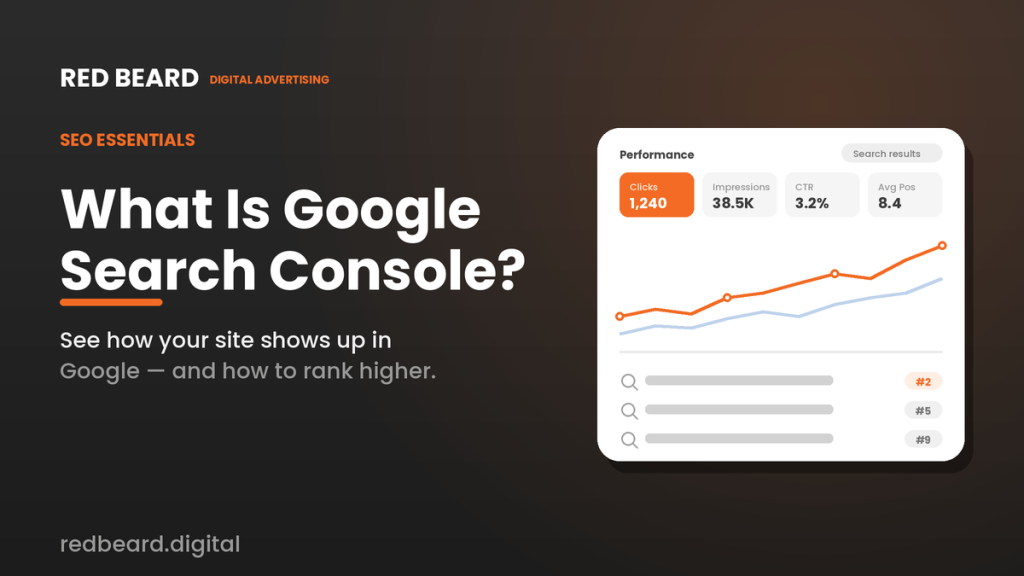
- Performance the heart of the tool. It shows the actual search queries people use to find you, plus your clicks, impressions, click-through rate, and average ranking position for each. This is free keyword data straight from Google.
- Indexing (Page Indexing) whether your pages are actually in Google’s index. If a page isn’t indexed, it can’t rank, no matter how good it is. This report flags pages Google couldn’t include and why.
- URL Inspection lets you check any single page to see if it’s indexed, request indexing for new pages, and spot issues.
- Sitemaps where you submit a map of your site so Google can find and crawl all your pages efficiently.
- Experience / Core Web Vitals reports on page speed and user-experience metrics that influence rankings.
- Enhancements & structured data checks special result types (like reviews or FAQs) for errors.
- Security & Manual Actions alerts you if your site is hacked or has been penalized by Google, so you can act fast.
- Links shows which sites link to you and your most-linked pages.
Why Google Search Console matters for SEO
For any business that wants to rank in search, Search Console is indispensable, and here’s why:
- Real keyword data. It tells you exactly which searches you already show up for including ones you didn’t know about revealing opportunities to create content or climb from page two to page one.
- It catches problems that silently kill rankings. If Google can’t index your pages, you’re invisible. Search Console surfaces those issues so they can be fixed.
- It measures progress. You can watch your impressions, clicks, and average position improve over time as your SEO works.
- It protects you. Security alerts and manual-action notices let you respond before a problem tanks your traffic.
For a local or home-service business, that often means spotting that you rank #8 for “water heater repair [your city]” and could realistically reach the top three with the right page improvements a direct line to more calls.
What’s new in Google Search Console for 2026
Search Console has evolved quickly alongside AI search:
- AI search performance reports. Google launched dedicated reports showing how often your pages appear inside AI features like AI Overviews and AI Mode giving you visibility into the new AI-driven search experience, not just traditional blue links.
- AI-powered report building. You can now type plain-language requests (like “show clicks for pages with the word ‘roofing'”) and Search Console configures the report for you, no manual filtering required.
- Branded vs. non-branded filter. You can separate searches for your business name from searches for your services, which helps you see brand strength versus new-audience growth.
One reassuring takeaway from Google itself: optimizing for AI search features is still just SEO. The same fundamentals that help you rank in regular results also help you appear in AI Overviews so you don’t need a separate strategy, and Search Console remains the place to measure it all.
How to get started
Getting started is free and straightforward: create a Search Console account, verify that you own your website (usually a quick step your web provider can handle), submit your sitemap so Google can find your pages, and then check in regularly to monitor performance and fix any flagged issues. The data takes a couple of days to populate, and the insights compound the longer you use it.
The bottom line
Google Search Console is the free, foundational tool for understanding and improving how your business shows up in Google Search. Paired with Google Analytics, it gives you the complete picture how customers find you, and what they do once they do. If SEO is part of your growth plan, Search Console isn’t optional; it’s where the work begins.
At Red Beard Digital, we use Search Console every day to grow organic traffic for local and home-service businesses finding the keyword opportunities, fixing what’s holding you back, and turning higher rankings into more calls and booked jobs. Want to climb the search results in your market? Book a free strategy call and we’ll show you where the opportunities are.